Maintain the ISMS catalogues
Licensed feature — on self-hosted installations this needs a license that includes ISMS; in the cloud it is part of the subscription. See Cloud or self-hosted.
The catalogues hold the reusable descriptions of what can go wrong — threats, vulnerabilities, risks — and of what you do about it — controls. This page shows how to maintain them. For the model behind them see How the ISMS is organised; to load many entries at once from CSV see ISMS CSV import.
All four catalogues are on the ISMS overview (Toolbox → ISMS). Each opens a list with search, sorting and paging; the icons in a row view, edit or delete the entry, and Add creates a new one.
Threats
Threats are potential causes of an unwanted incident that may harm a system, asset or organisation. Create them before you create risks of type Threat x Vulnerability or Threat.
Open Toolbox → ISMS → Threats.
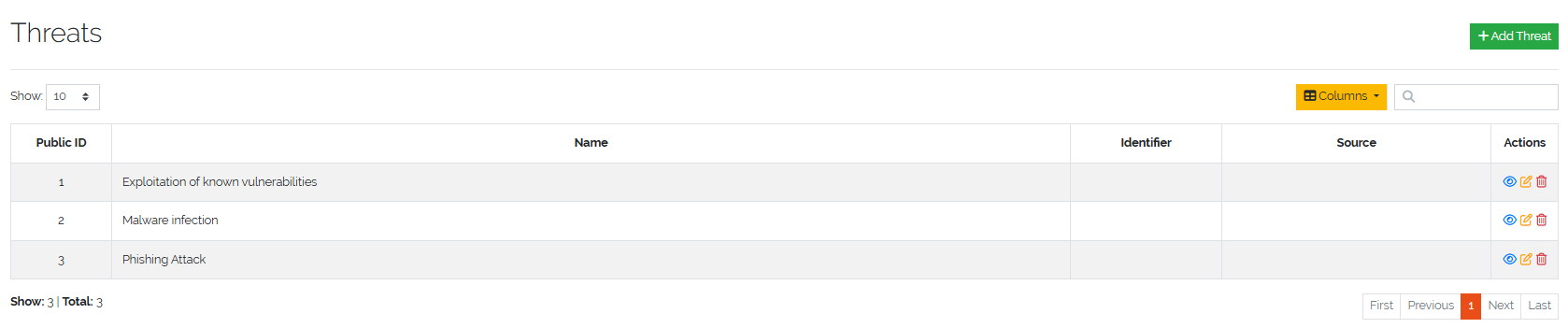
The threats list.
Field |
Description |
|---|---|
Name |
Required. A short, descriptive name, e.g. Malware Infection, Phishing Attack. |
Source |
Optional. Where the threat comes from or how it is classified. Pick a source from the list; Manage Sources adds or edits sources. |
Identifier |
Optional. A reference such as THR-001. |
Description |
A longer explanation of the threat and its potential impact. |
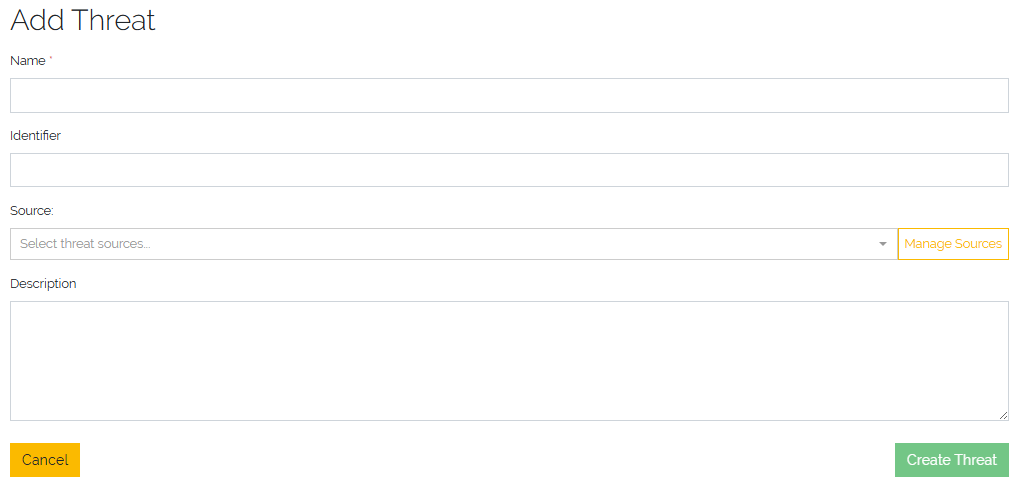
Creating a threat.
Vulnerabilities
Vulnerabilities are weaknesses in systems, processes or controls that a threat can exploit. They are used in risks of type Threat x Vulnerability.
Open Toolbox → ISMS → Vulnerabilities.

The vulnerabilities list.
Field |
Description |
|---|---|
Name |
Required. A short, descriptive name, e.g. Outdated Software, Weak Password Policy. |
Source |
Optional. Where the vulnerability comes from or how it is classified. Manage Sources adds or edits sources. |
Identifier |
Optional. A reference such as VUL-001. |
Description |
A detailed explanation of the vulnerability and its implications. |
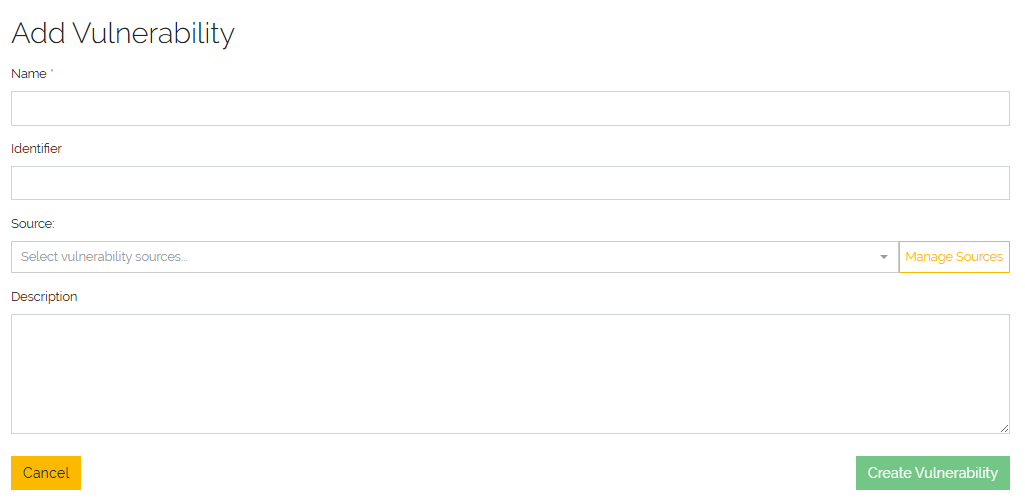
Creating a vulnerability.
Risks
A risk describes a scenario that endangers the confidentiality, integrity or availability of information. Risks are what you assess against your objects and object groups.
Open Toolbox → ISMS → Risks. The list shows all risks with their type, affected protection goals and threat context.

The risks list.
The fields shown in the form depend on the Risk Type, so you only capture what is relevant:
Field |
Description |
|---|---|
Name |
Required. The title of the risk. |
Identifier |
Optional. A unique reference code for internal or regulatory use. |
Category |
Required. Groups similar risks. Manage Categories adds or edits categories. |
Risk Type |
Required; Threat x Vulnerability is preselected. Controls which of the following fields apply:
|
Threats |
The threats that contribute to the risk. |
Vulnerabilities |
The weaknesses the threats can exploit. |
Consequences |
Free text: what happens if the risk materialises. |
Description |
A detailed explanation of the risk scenario. |
Affected Protection Goals |
Check every protection goal the risk can affect, e.g. Confidentiality, Integrity, Availability. |
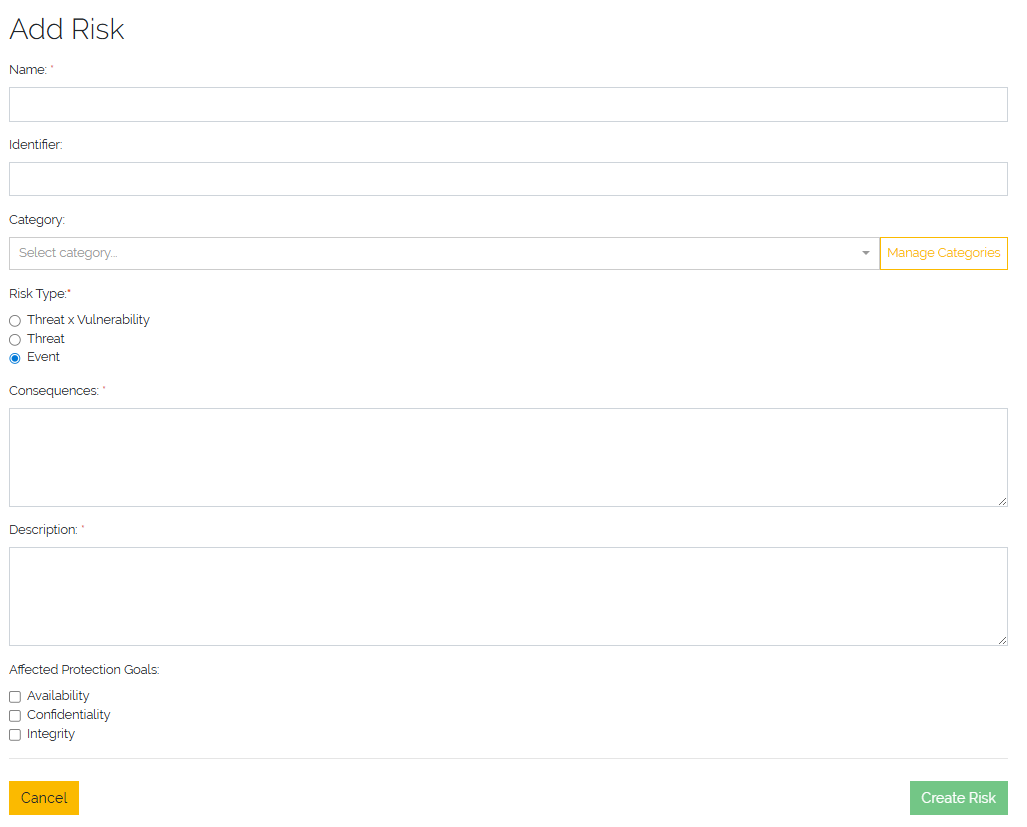
Creating a risk.
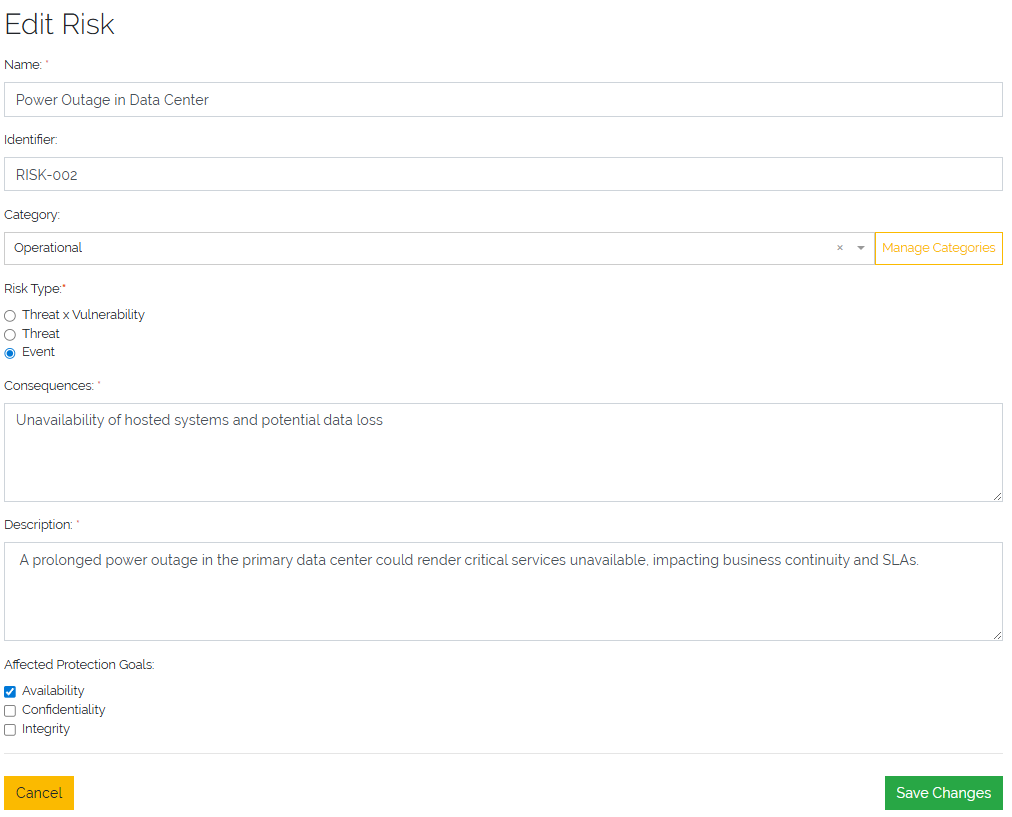
A configured risk.
The detail view of a risk also lists its risk assessments — see Assess and treat risks.
Controls
Controls are actions, procedures or mechanisms that reduce or eliminate risks. They can come from internal policies, regulations or standards such as ISO/IEC 27001. You link them to risk assessments as part of risk treatment (see Assess and treat risks).
Open Toolbox → ISMS → Controls.

The controls list.
Field |
Description |
|---|---|
Name |
Required. The title of the control, e.g. Access Control Policy, Regular Patch Management. |
Type |
Required. The role or origin of the entry:
|
Identifier |
A unique reference, e.g. CTRL-001 or A.5.1. |
Source |
Where the control comes from, e.g. a framework such as ISO 27001:2022. Manage Sources maintains the list. |
Chapter |
The section of the standard, framework or policy the control relates to, e.g. A.9.1.1. |
Description |
What the control is and how it mitigates risk. |
Is Applicable? |
Whether the control applies to your organisation or context. |
Reason for inclusion/exclusion |
Why the control is or is not applicable, e.g. Not applicable due to cloud hosting model. |
Implementation State |
The overall implementation status, e.g. Planned, In Progress, Implemented. Manage Implementation States maintains the list. |
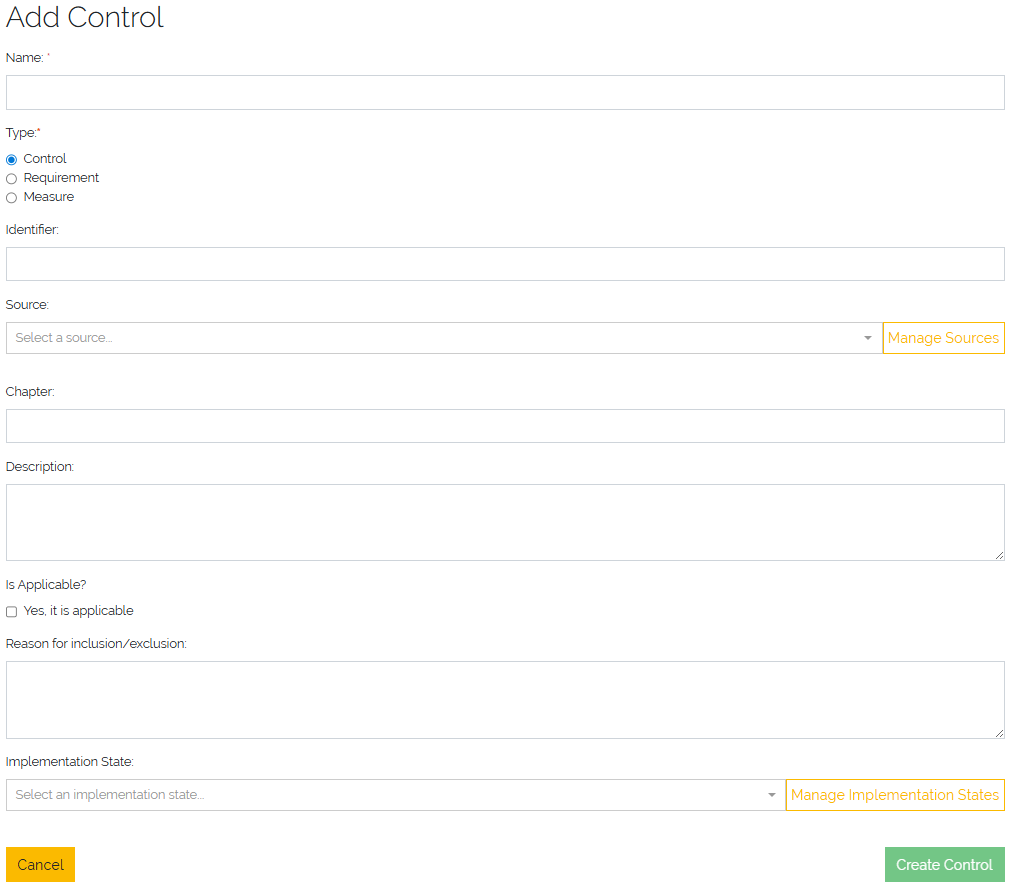
Creating a control.
Controls with the source ISO 27001:2022 lead the Statement of Applicability — see Use ISMS reports.
Delete entries
To delete a single entry, use the delete icon in its row. (3.3) To delete several at once, select them in the list of threats, vulnerabilities, risks or controls and click Delete Selected; the button shows how many are selected. Changing the page, page size, sort order or search clears the selection.
What happens to entries that are still in use differs:
Catalogue |
When the entry is in use |
|---|---|
Threats |
A threat assigned to a risk is skipped and not deleted. |
Vulnerabilities |
A vulnerability assigned to a risk is skipped and not deleted. |
Controls |
A control used in a control assignment is skipped and not deleted. A notification names the skipped controls. |
Risks |
The risk is deleted together with all its risk assessments and their control assignments. The notification reports how many were removed. |
Warning
Deleting a risk cannot be undone and removes every risk assessment made for it.
Rights
Each catalogue has view, add, edit and delete rights, e.g. base.isms.threat.view or
base.isms.controlMeasure.delete. Without the view right the card is hidden on the ISMS overview. See
Rights.