N:M relations
An N:M relation links objects many-to-many, in both directions, and can carry fields of its own: Application runs on Server, with a deployment date; Person works on Project, with a role. When to prefer it over a reference field is explained in Ways to connect objects.
You work with relations in two stages: first define a relation type — the schema — under Framework → Relations, then link individual objects with it from the object view.
Define a relation type
Open Framework → Relations and click Add.

The list of relation types.
The form has two steps, Basic information and Content.
Basic information
Field |
Meaning |
|---|---|
Relation Name |
Required, unique. Letters, numbers and hyphens only, for example |
Label (parent side) |
Required. How the relation reads from the parent, for example Contains or hosts. |
Icon and Color (parent side) |
How the relation is shown on the parent object. |
Allowed Types (parent side) |
Required. The types whose objects can be the parent. |
Label (child side) |
Required. How the relation reads from the child, for example Part Of or runs on. |
Icon and Color (child side) |
How the relation is shown on the child object. |
Allowed Types (child side) |
Required. The types whose objects can be the child. |
Description |
Optional. What the relation is for. |
A type may be allowed on both sides at once — for example Server as parent and child of a replicates to relation.
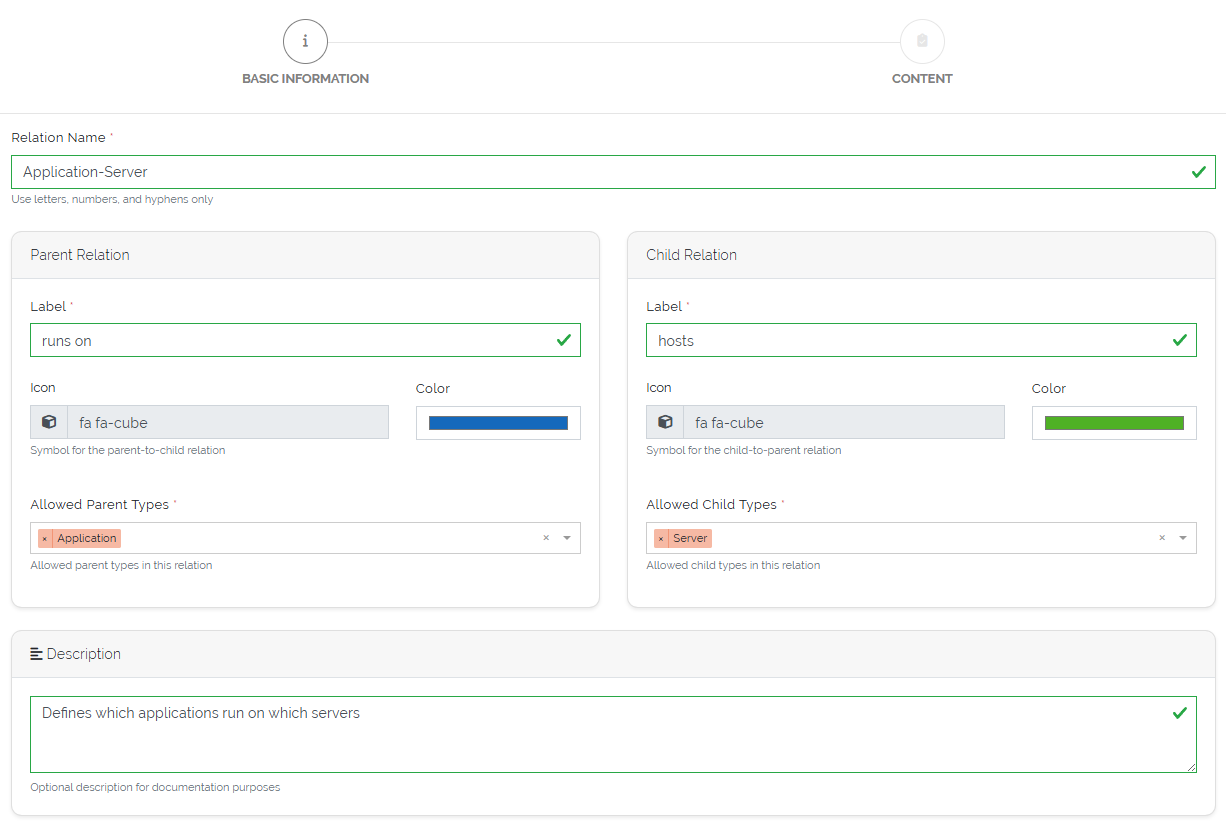
Basic information of a relation type.
Content
Optional. Build sections and fields that every link of this type carries — status, purpose, notes, dates. The builder is the same as for types (3.3), with plain Section as the only structure control and the Basic Controls; section templates and special controls are not available here.
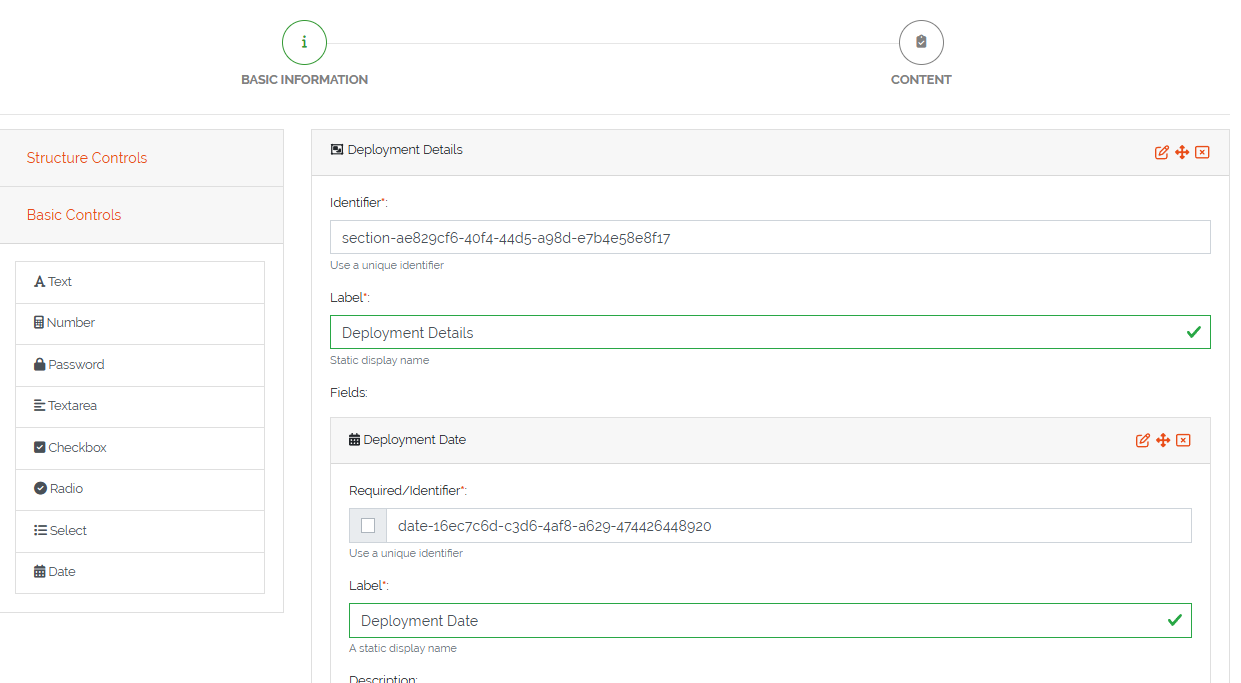
Fields of a relation type.
Save the relation type. Edit and delete it from the Actions column of the list.
Link two objects
Open an object whose type is allowed in a relation type.
Click Add Relation.
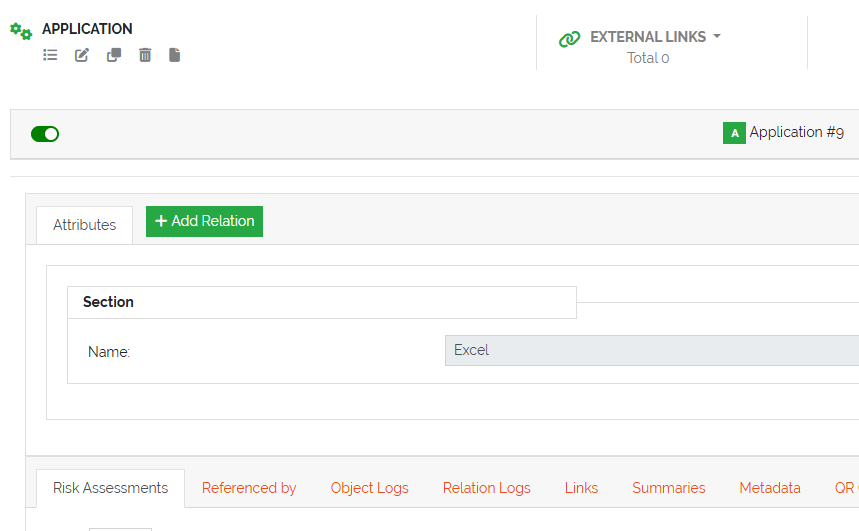
Add Relation in the object view.
Pick the relation from the table. It lists every relation type that applies to this object’s type:
if the type is an allowed parent, the relation appears in its parent → child direction;
if it is an allowed child, it appears in its child → parent direction;
if it is allowed on both sides, you get two entries, one per direction.
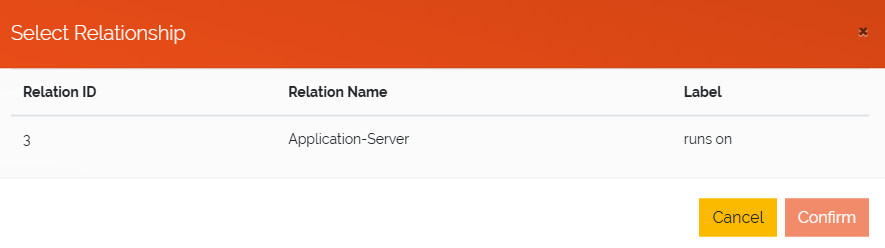
Relations available for the current object.
Fill in the relation’s fields, if it has any, and select the object on the other side.
Click Save.
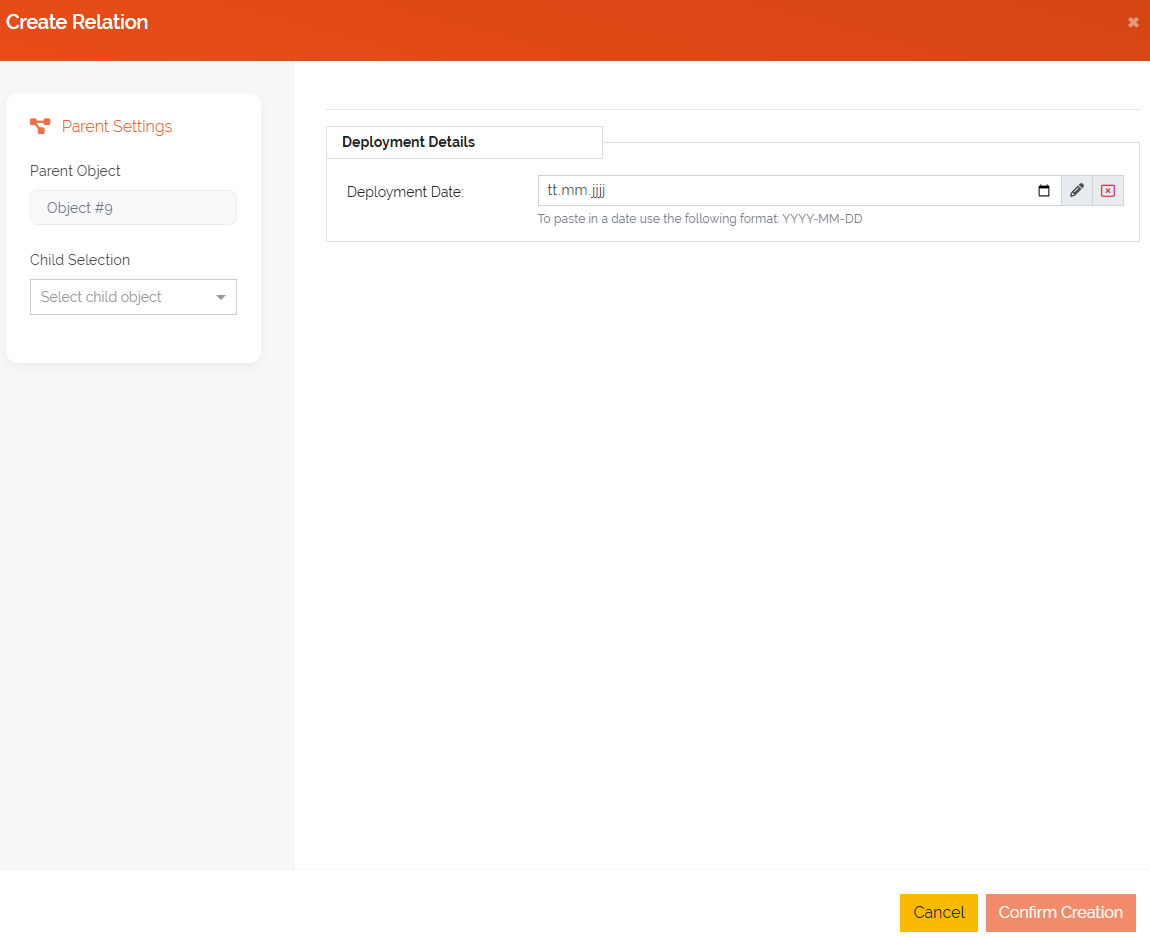
Relation fields and the related object.
See and change links
Each relation appears in the object view, next to Add Relation, as a tab named after the relation’s label in that direction. The tab lists all links of that relation in a table; relation fields can be shown as columns (3.3). Every row has View Relation, Edit Relation, Copy Relation and Delete Relation.
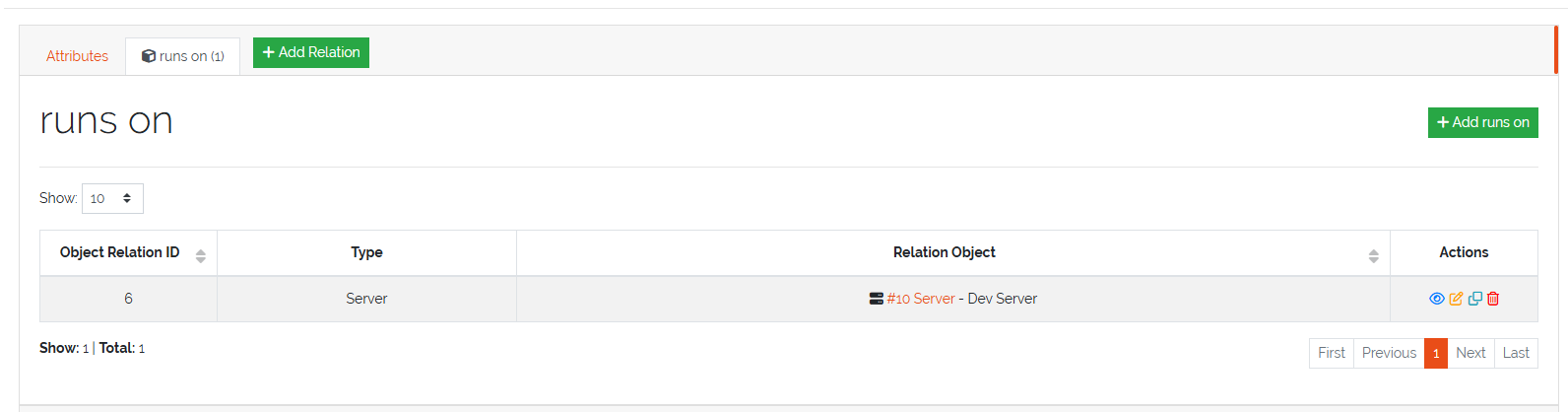
The links of one relation on an object.
The tab’s own Add button skips the relation choice and opens the form for that relation directly.
A link always shows up on both objects, each in its own direction: link an application to a server with runs on, and the server lists the application under hosts.