User Groups
Cloud version
At the current state of development this is not possible in the Cloud Version
User groups define role-based access within the system. Configuration can be accessed via .
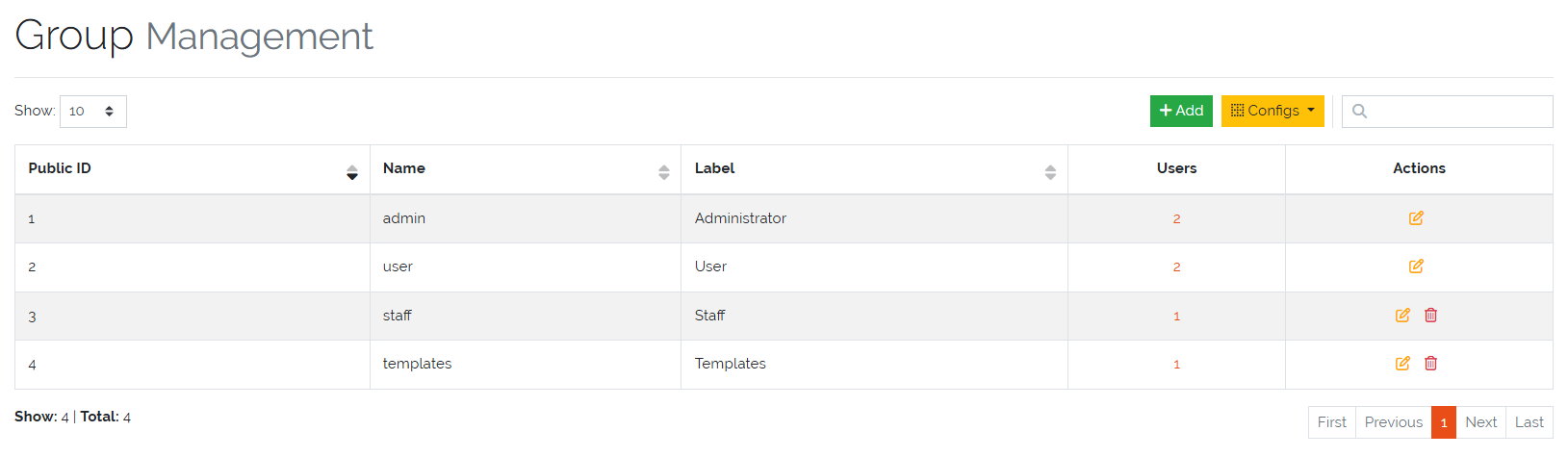
Picure: UserGroup overview
All existing user groups are listed in a management overview, where they can be viewed, edited, or deleted—except for the two predefined groups:
Administrator
Users
These two groups are system defaults and cannot be deleted.
Creating an UserGroup
To create a new UserGroup, click the “Add” button. The following fields must be configured:
Name: The internal identifier of the group.
Label: A human-readable display name.
In addition, the group’s access rights must be defined to control what Users in the UserGroup can see and do within the system.
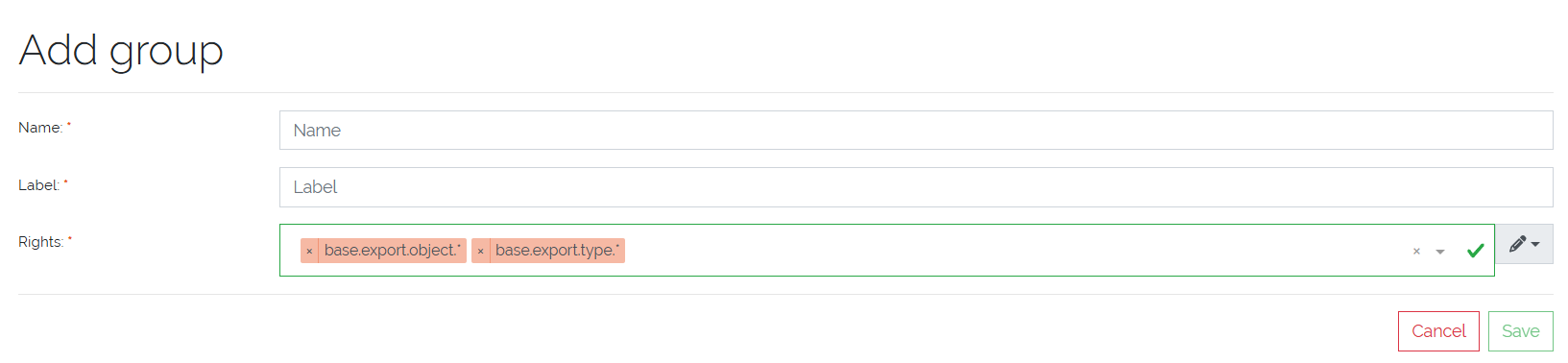
Picure: UserGroup create form
Access Rights
Access rights are configured per UserGroup and follow a hierarchical naming structure. This allows fine-grained permission control.
A detailed overview of available Rights can be viewed under .
Example Structure:
# General base right
base.*

# Rights for framework-level access
base.framework.*

# Access to object functionalities
base.framework.object.*

# Specific object rights
base.framework.object.view
base.framework.object.add
If an UserGroup is granted a general right such as base.framework.object.*, all child permissions (e.g. view, add, edit, etc.) are automatically included.
Required Frontend Rights
The following minimum Rights are required for a UserGroup to access and use the frontend application:
base.framework.object.view
base.framework.type.view
base.framework.category.view
base.framework.log.view
base.user-management.user.view
base.user-management.group.view
base.docapi.template.view