CI Explorer
The CI Explorer provides a visual, interactive view of Configuration Item (CI) relationships. It can be accessed from the detailed object view of any existing Object.
The CI Explorer is especially useful for: - Understanding hierarchical and bidirectional relationships between objects - Analyzing the impact of a component across multiple layers - Debugging misconfigurations or relationship errors - Visual dependency mapping during planning or auditing
To access the CI Explorer press on the most top right icon in the detailed object view.
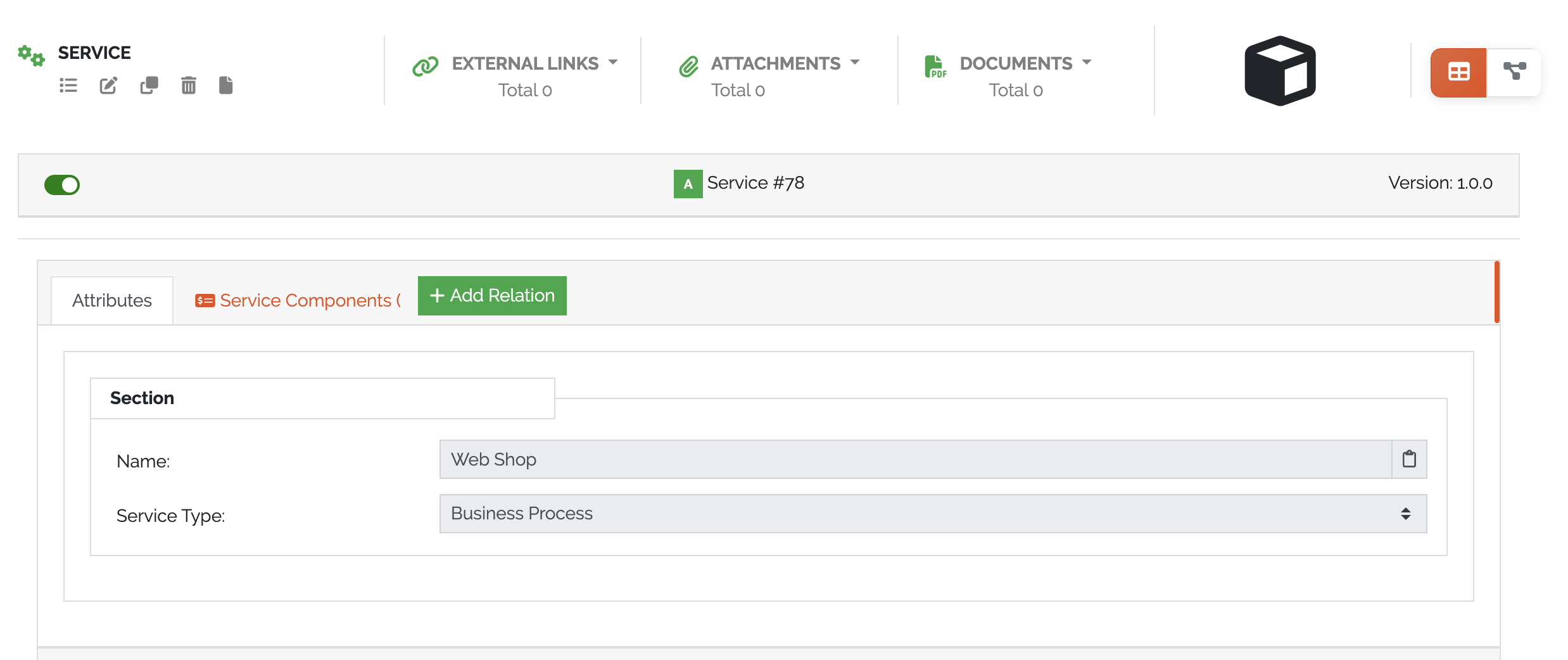
Picure: CI Explorer in detailed object view
Overview
Once opened, the CI Explorer displays the currently selected Object in the center, with its related Objects arranged in a hierarchical graph:
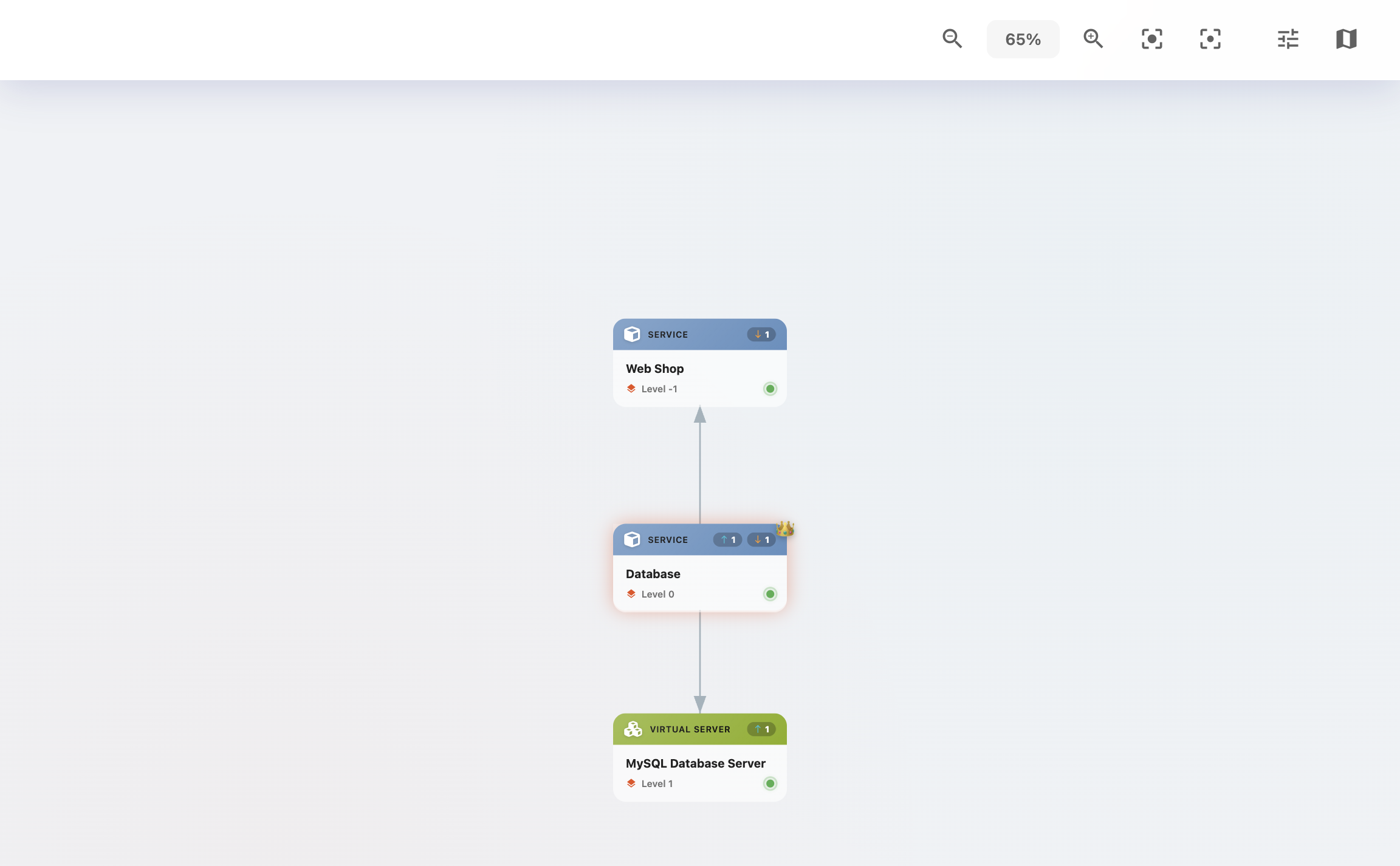
Picure: CI Explorer displaying object relationships
Interactivity
Each object node in the CI Explorer is clickable:
Clicking an object opens its object details in a panel
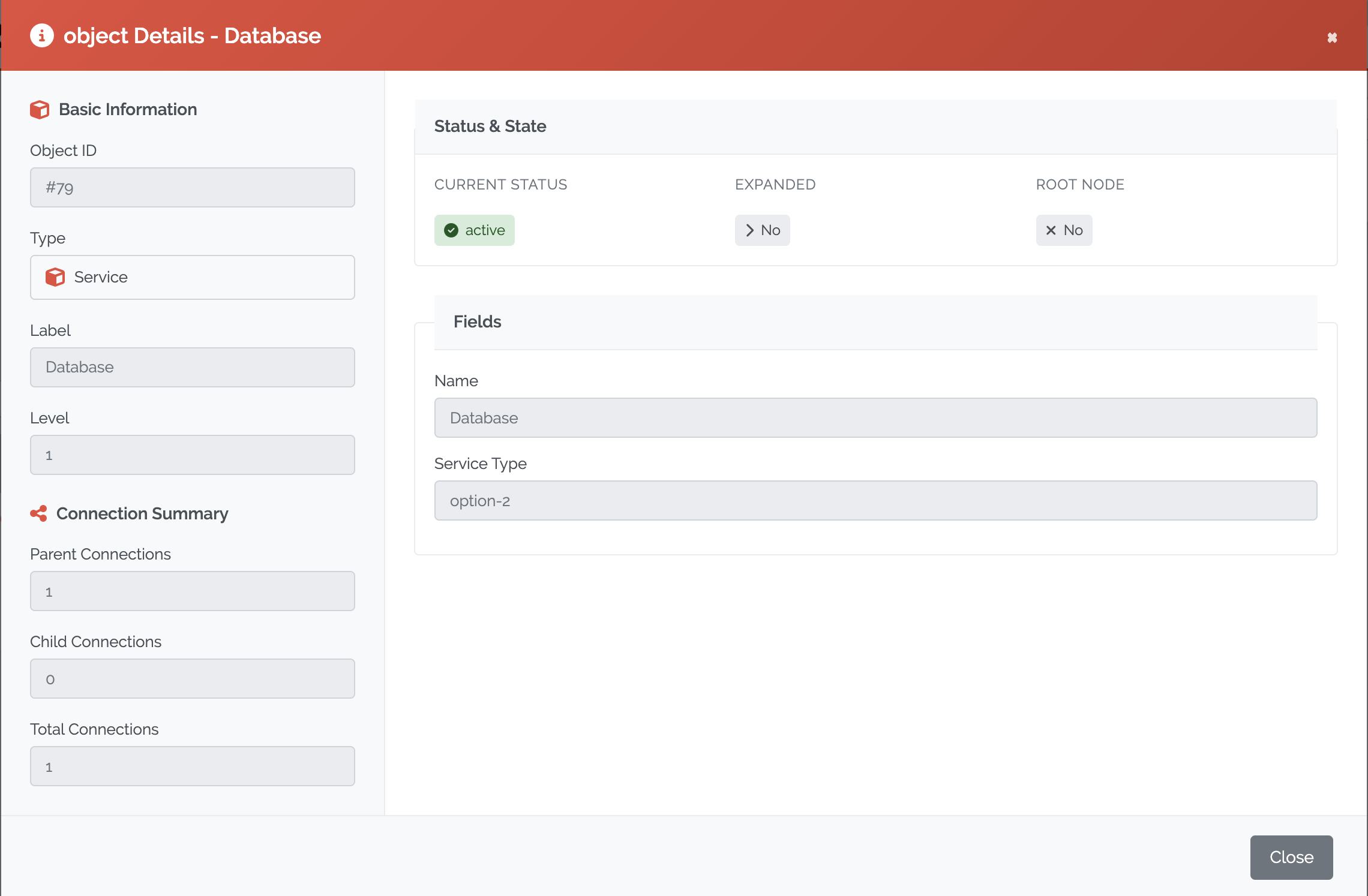
Picure: CI Explorer object details
Clicking the arrow above an object shows a detailed breakdown of object relationships
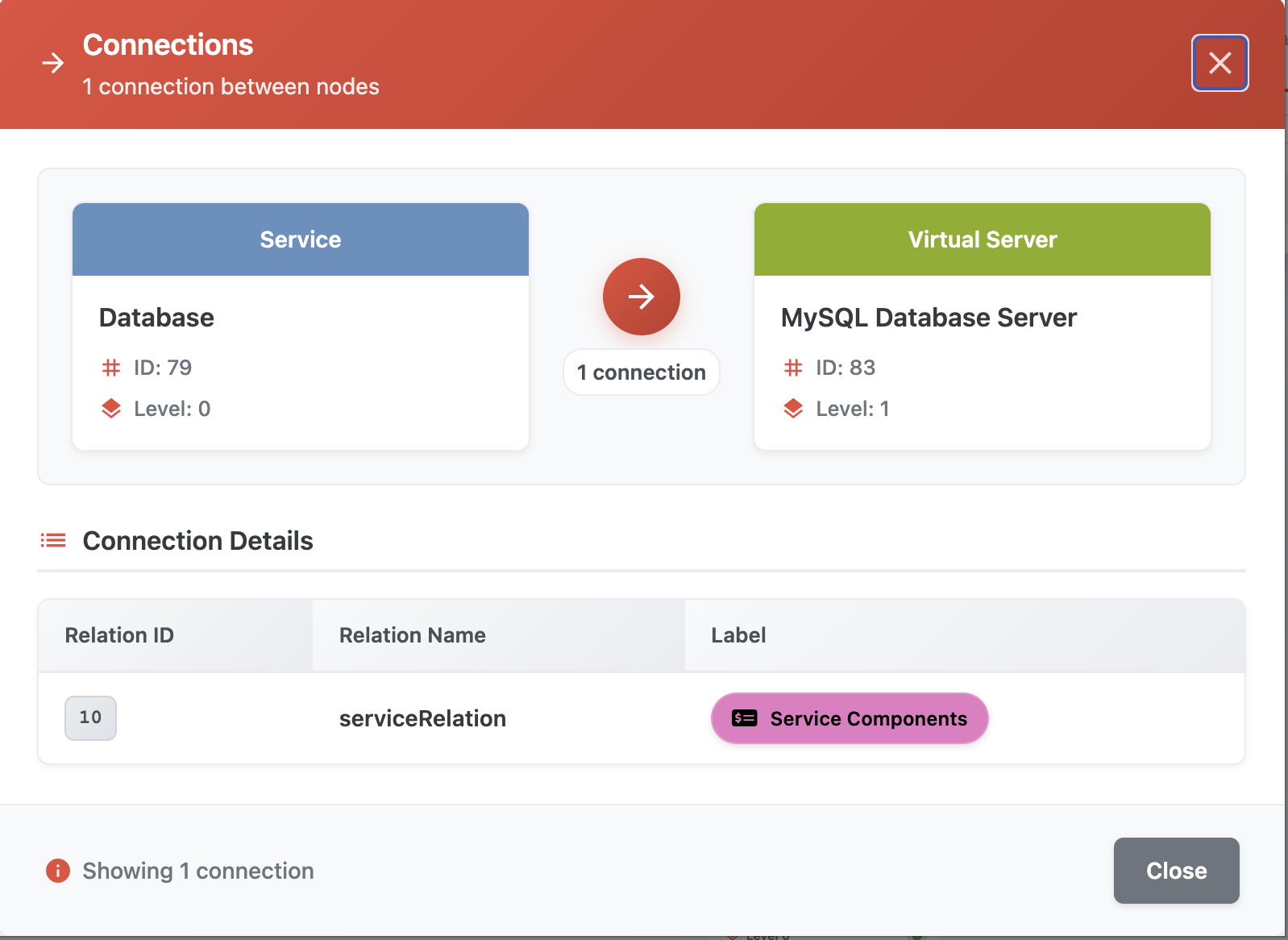
Picure: CI Explorer relationship details
A right-click context menu on each object offers the following actions:
Set as root node: Redefine the clicked object as the center of the view
Expand: Load the next level of relationships for that object
Focus: Center the view on the clicked object
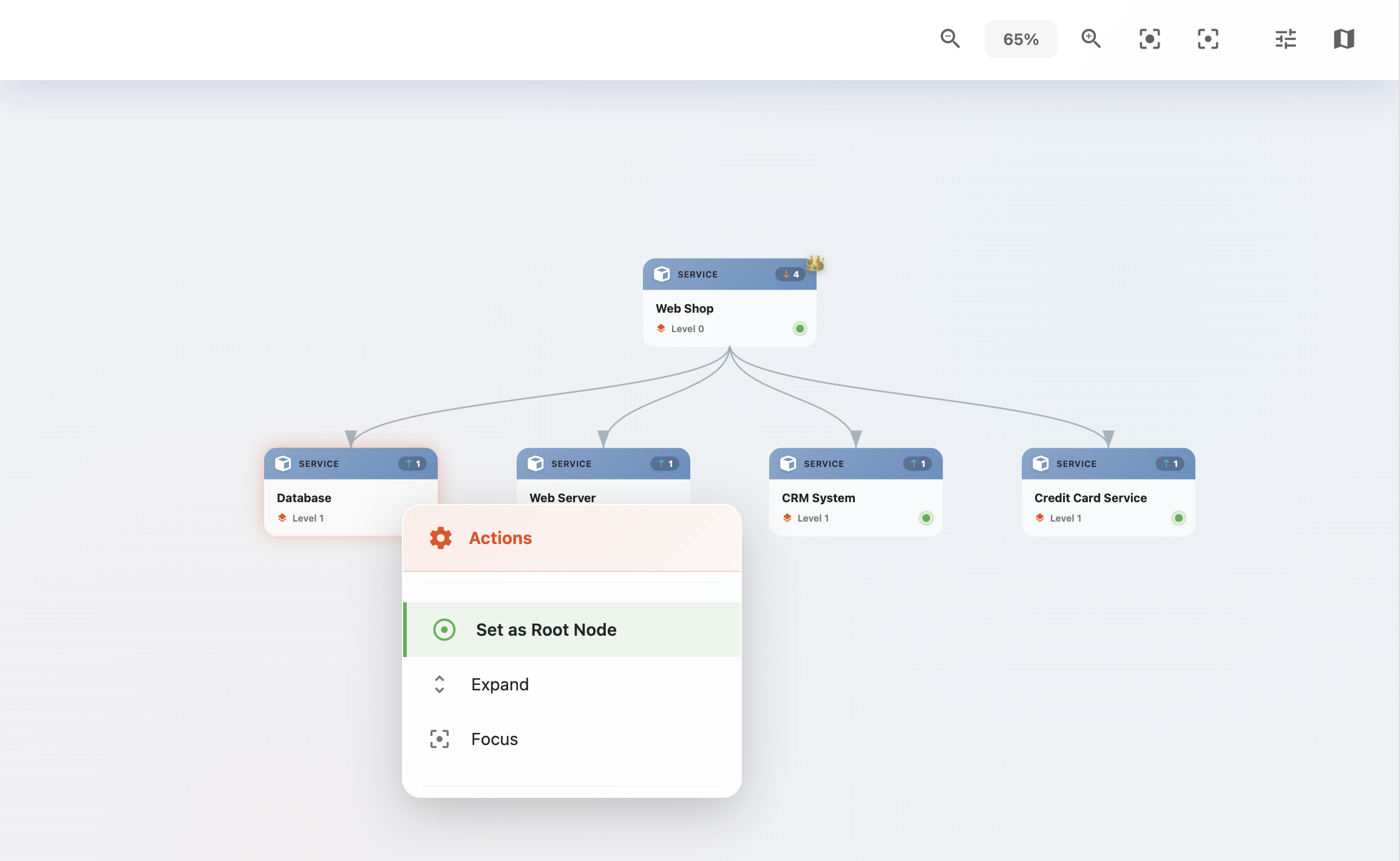
Picure: CI Explorer object context menu
Tools
Located in the top-right corner of the CI Explorer interface are several tools to aid navigation and filtering:
Zoom In / Zoom Out: Adjust the zoom level of the graph - You can also zoom using the mouse wheel + Control key
Focus Mode: Dims the background, highlighting the current object and its relationships
Minimap: Opens an interactive map of the entire CI graph; clicking inside the minimap jumps to the selected location
Profile Manager: - Apply filters based on Types and relation types
Profile Manager
The Profile Manager helps tailor and manage the visual representation of the CI Explorer by applying filters to Types and relationship types.
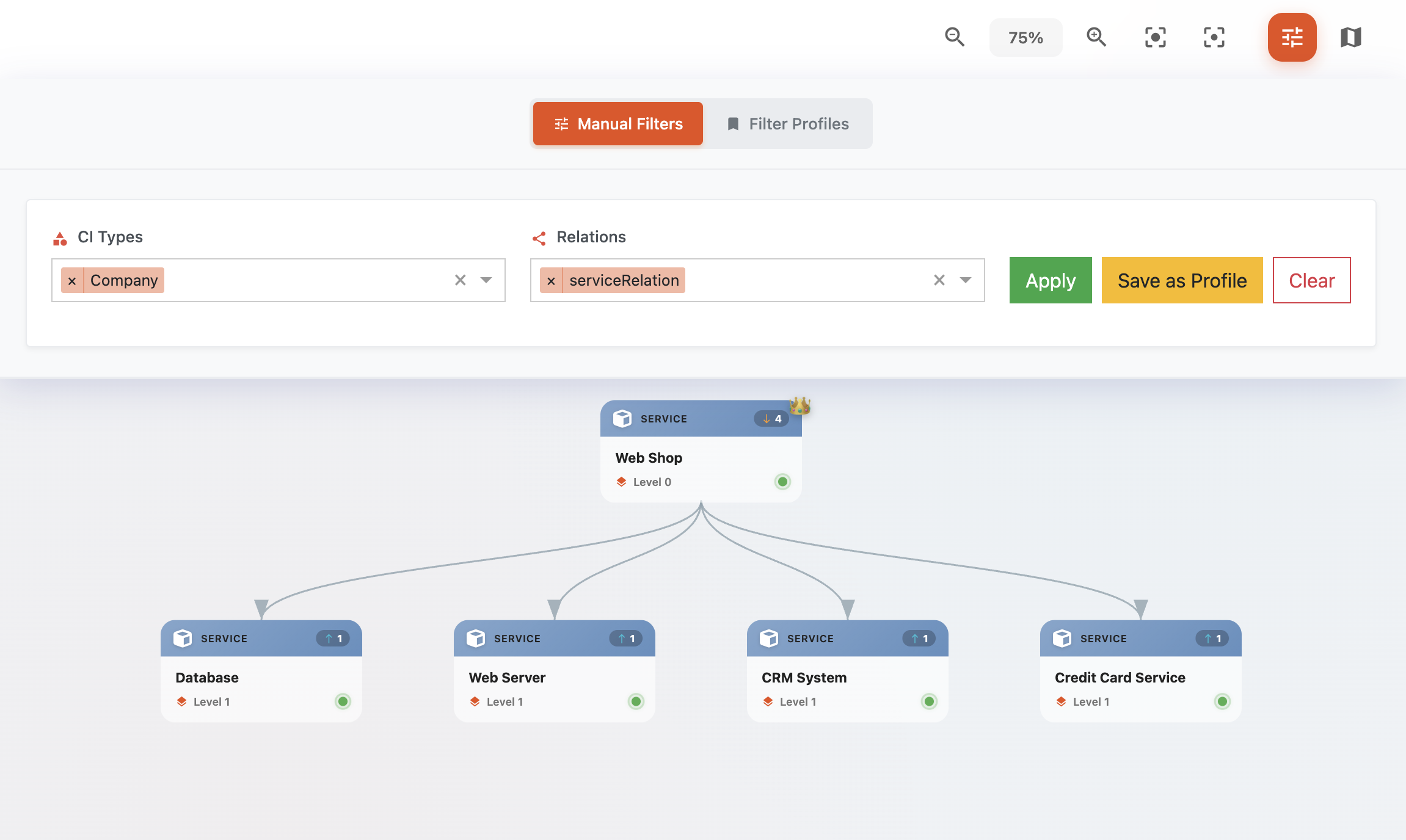
Picure: Profile manager of the CI Explorer
Features:
Filter by Object Types: - Limit which CMDB types are shown (e.g., only Servers or Applications)
Filter by Relation Types: - Define which types of relationships should be visualized (e.g., “depends on”, “hosts”)
Save Profiles: - Store current filter settings as reusable profiles
Load & Switch Profiles: - Quickly switch between saved configurations for different analysis use cases
Manage Profiles: - Rename or delete profiles for easier organization
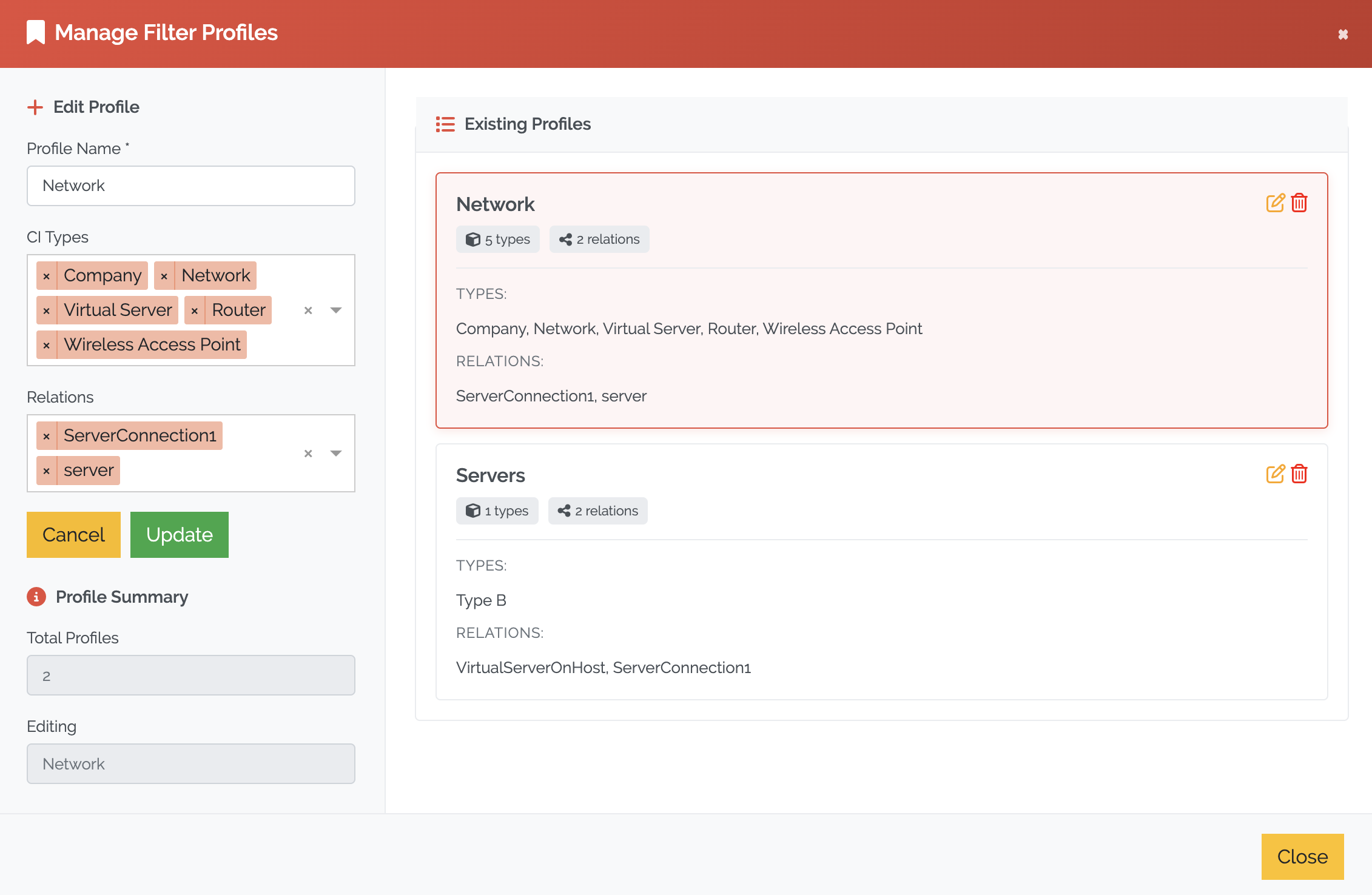
Picure: Managing profiles in Profile manager